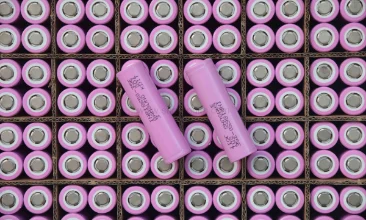
1. The Battery Entered Deep-Discharge Sleep Mode
This is the number one reason a battery "dies" after sitting unused for a while. Lithium-ion packs have a protection circuit (the BMS) that cuts output when the cell voltage drops below a threshold — typically around 2.5V per cell. Once that happens, the BMS essentially locks the output to prevent further damage. The battery is not dead. It is asleep.
What triggers it: Leaving the battery in a device that draws a small standby current over weeks or months. Warehouses that do seasonal work see this constantly — batteries that sat on a shelf through the slow season will not wake up when peak hits.
Quick fix: Some desktop chargers have a "recovery" or "pre-charge" mode that applies a very low trickle current to slowly bring the cell voltage back above the BMS cutoff. If your charger does not have this, try leaving the battery on the charger for 4 to 6 hours even if the indicator says nothing is happening. In many cases, the BMS will detect the trickle and re-enable the output. If not, the pack may need a bench power supply reset — something any decent battery shop can do in five minutes.
What to look for when buying replacements: Ask whether the BMS supports a "zero-volt charge enable" function. This means the protection circuit allows charging to begin even when the cell voltage has dropped below the cutoff, rather than requiring an external wake-up signal. It is a small thing, but it saves a lot of headaches in the field.
2. Contact Pins Are Corroded or Misaligned
This one sounds obvious, but you would be surprised how many batteries get flagged as "failed" when the real problem is physical.
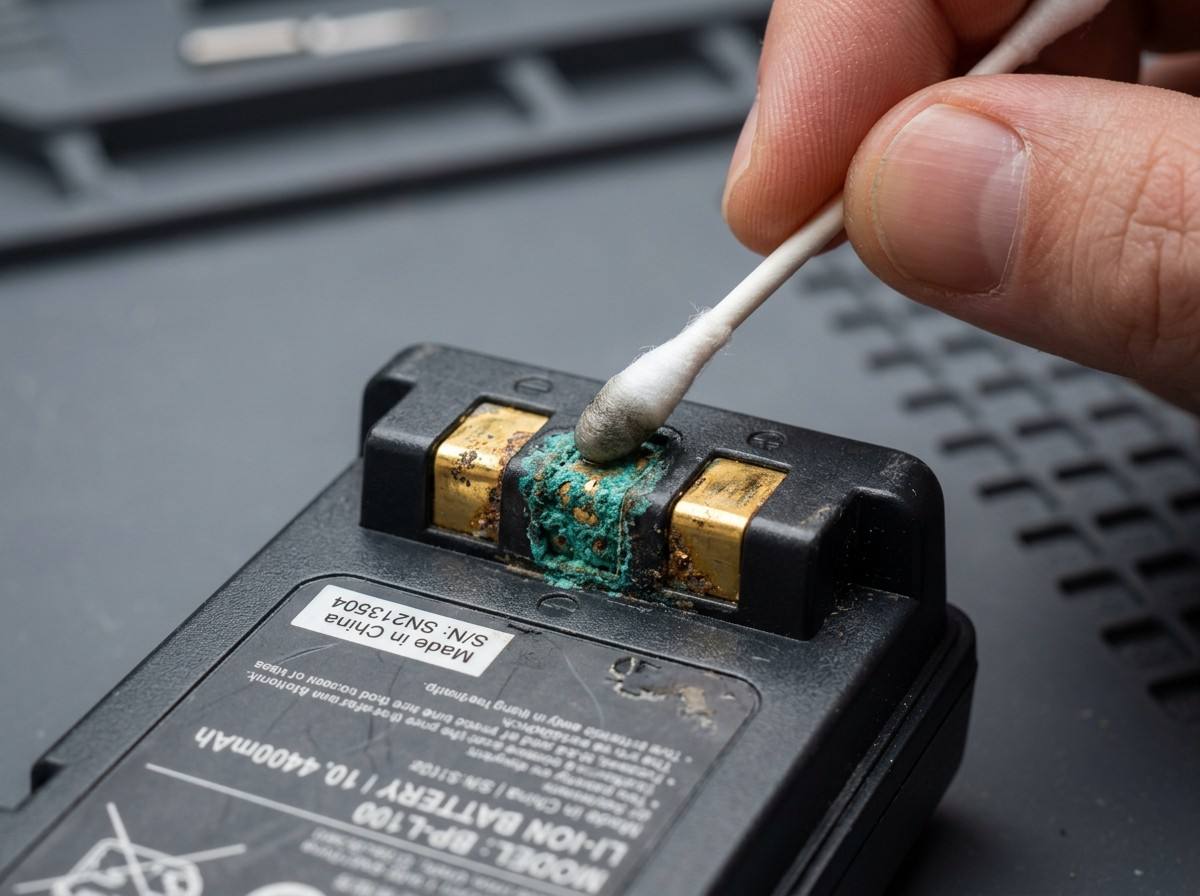
What it looks like: The battery will not charge in one dock but works fine in another. Or the device power cycles when you move the scanner a certain way. Or you see a thin layer of greenish oxidation on the gold or nickel-plated contact pads.
What triggers it: Humidity, temperature swings, and airborne dust — which pretty much describes any real-world warehouse or cold-chain environment. The combination of moisture and slight electrical potential across the contacts accelerates corrosion. Misalignment usually comes from a drop or a worn battery latch that lets the pack shift slightly in its cradle.
Quick fix: Clean the contact pads with isopropyl alcohol (90% or higher) and a lint-free cloth. Do not use anything abrasive — those contact pads have a plating layer that is only a few microns thick. If the battery still will not charge, inspect the charger cradle pins: bent or compressed spring-loaded pins are a common failure point on the charger side, not the battery side. For alignment issues, check whether the battery latch or the plastic housing around the connector shows any cracking.
3. One Cell in the Pack Lost Balance
Multi-cell packs — and most scanner batteries above 2000mAh use at least two cells in series — live and die by cell balance. When one cell in the string degrades faster than the others, the BMS sees a voltage mismatch and may shut down the entire pack.
What triggers it: Age, uneven temperature exposure, or simply manufacturing variance from the original pack. Some cells naturally drift apart after hundreds of cycles. Cheap aftermarket packs with poorly matched cells are notorious for this.
How to spot it: The battery charges to "full" very quickly, but also drains very quickly. Or it works for 20 minutes and then dies abruptly rather than fading gradually. These are both signs that one cell is sagging while the BMS reads the average voltage as normal.
Can you fix it? Not easily in the field. A balanced-charge cycle on a hobby-grade charger can sometimes bring cells back in line, but this requires opening the pack and accessing the balance leads — not something most users should attempt. If a pack shows persistent balance drift after, say, 12 to 18 months of use, it is time to retire it. The good news: quality replacement packs from reputable suppliers use grade-A cells that are matched at the factory to within a few milliohms of internal resistance, which dramatically reduces drift over the pack's service life.
4. The Battery Thermistor Tripped a False Overheat Flag
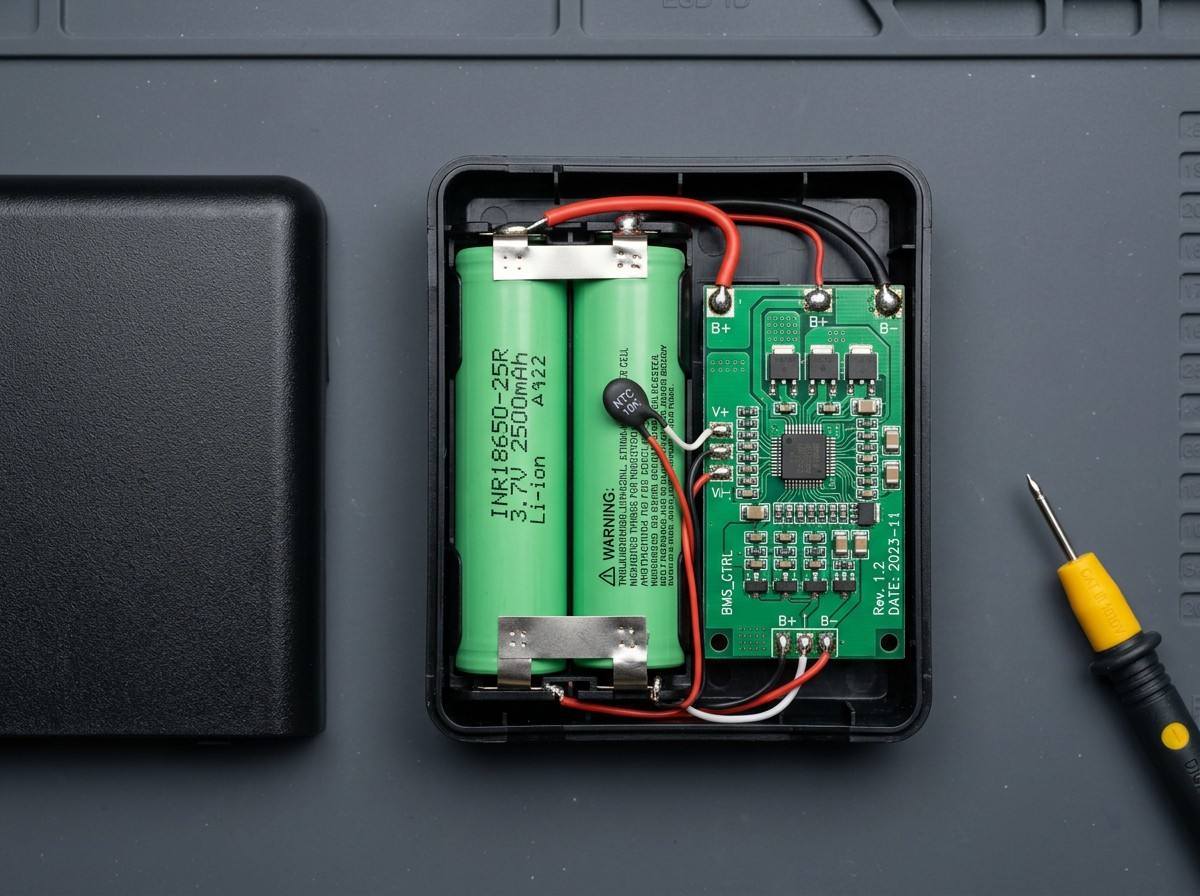
Most scanner batteries have a thermistor — a tiny temperature sensor embedded in the pack — that tells the charger "stop charging if things get too hot." When the thermistor fails or reads incorrectly, the charger thinks the battery is overheating and refuses to charge, even if the pack is stone cold.
What triggers it: Thermistors are typically epoxy-coated beads soldered to the BMS board. Physical shock (drops), extreme cold, or just age can crack the solder joint or the thermistor body itself.
How to confirm: If the battery charges fine on one charger but not another, and you have already cleaned the contacts, the thermistor circuit is the next suspect. Some multimeters can read the resistance between the thermistor contact and ground — if it shows open circuit or a wildly out-of-range value, the thermistor is the problem.
Real-world fix: There is no field fix for a failed thermistor. The pack needs to be opened and the BMS repaired or replaced. For most users, this is the point where a replacement battery makes more economic sense than a repair. When sourcing replacements, check that the supplier uses NTC thermistors rated for your operating temperature range — a -20°C to +60°C rating covers most cold storage and outdoor scanning applications.
5. The BMS Entered a Permanent Fault State
Modern BMS circuits track more than just voltage and temperature. Many log fault events — overcurrent, short circuit, or a cell voltage that temporarily dipped below a critical threshold — and latch into a "permanent failure" mode as a safety precaution.
What triggers it: A momentary short circuit when the pack was inserted into a faulty charger. A device that drew a current spike beyond the BMS rating. Or simply a transient voltage drop during a cold start in freezing conditions.
How to know: The battery shows zero voltage at the output terminals even though the cells themselves measure fine (if you could safely probe them). The BMS has electronically tripped its output MOSFETs into an open state and will not reset them without a specific sequence.
What you can do: Some BMS circuits will reset if you bridge the output terminals with the charger connected for a few seconds — but this is manufacturer-specific and not recommended unless you know the exact BMS design. In practice, a latched BMS usually means a replacement. The silver lining: higher-quality replacement packs use BMS chips from suppliers like TI or Seiko that include a software-configurable fault recovery timer. If the fault condition clears within a set window, the BMS auto-resets without latching permanently. This alone cuts down a significant percentage of warranty claims.
The Bottom Line
Not every battery that stops working is dead. A lot of them are just in a state that a little troubleshooting can reverse — sleep mode, dirty contacts, or a charger-side issue that got blamed on the pack. Before you throw money at replacements, run through this checklist.
And when you do buy replacements, the spec sheet matters less than what is inside: grade-A cells, a BMS with zero-volt charge enable and auto-recovery, and thermistors rated for your real-world operating conditions. Those details are what separate a battery that lasts three years from one that leaves your team stranded six months in.
Shenzhen Sunwind Energy Tech Co., Ltd. specializes in replacement lithium-ion battery packs for barcode scanners, mobile data terminals, POS systems, and industrial handheld devices. Our packs are built with grade-A cells and application-matched BMS designs. For technical inquiries or custom battery solutions, contact our engineering team.